
To add or increase to an existing reserve
- Enter another XR order for the additional amount needed.
To Cancel an XR Logical Reserve - IT15
- Type IT15 in a blank screen
- Populate DC code (HH, CI, NV, DD, EE), Title Code/EAN, and Press Enter
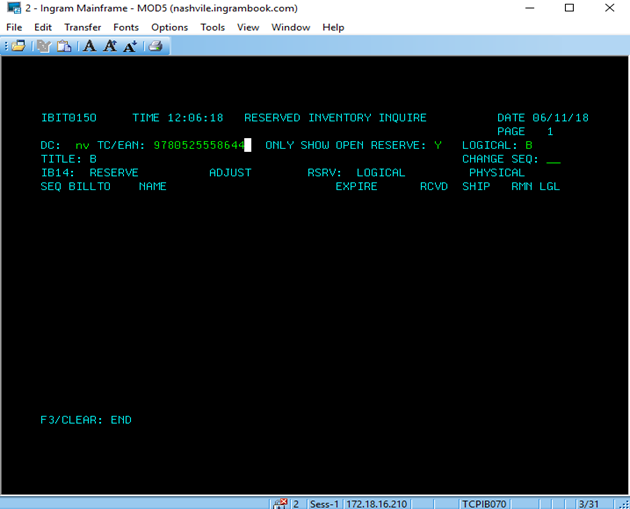
3. Type in the sequence number in the CHANGE SEQ field and Press Enter
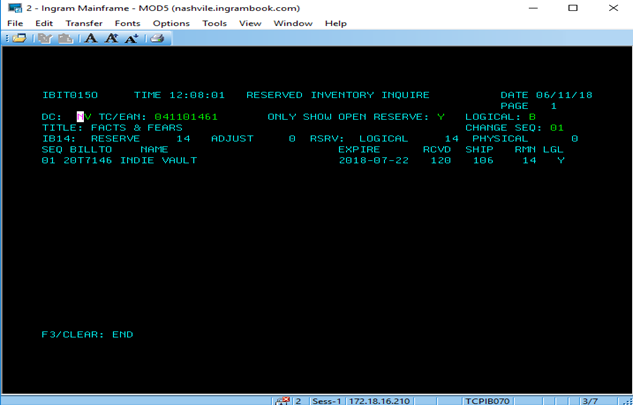
4. Change Expire Date to today's date and press enter
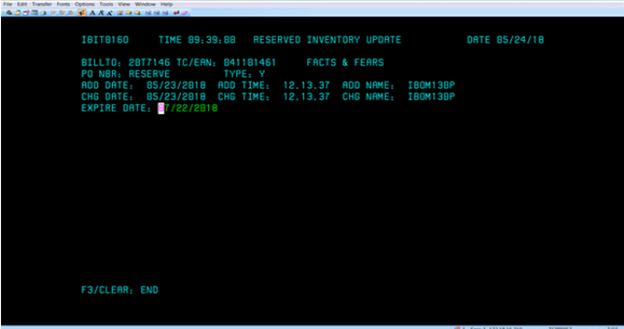
5. Verify Expire Date Updated
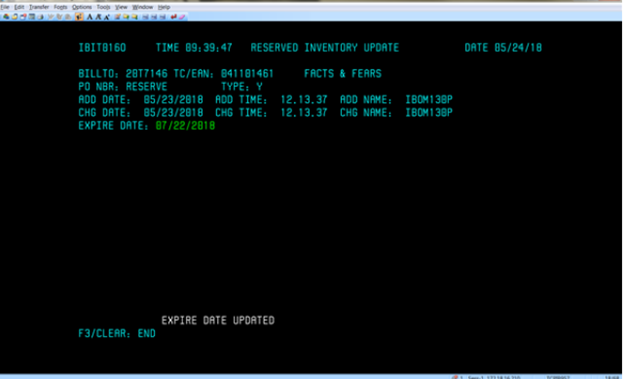
6. Reserve will expire overnight
Hot Tips:
** If a title needs to be expired from reserve the same day, contact IBC MIS Production Control at email address ProdCNTL@ingrambook.com requesting them to run the logical reserve expiration job ( enter job number here) today for (enter warehouse here)
IBIT760H for Jackson
IBIT760N for LaVergne
IBIT760C for Chambersburg
IBIT760D for Ft. Wayne
IBIT760E for Roseburg
**Once XR inventory is depleted by orders for the customer's bill-to, the title will no longer show as reserved, and there will be no record of the reserve request (other than the title showing invoiced to the customer)
**XR order can be entered prior to receipt of a title to reserve the title
Comments
0 comments
Please sign in to leave a comment.