
Business Operations Support can verify the contents of a carton in PKMS. This is helpful when a customer is reporting a shortage of product. The specialist may verify the missing items didn’t ship in another carton. This is also helpful when an entire carton is damaged or missing—the Business Operations Support can identify the product needed for reorder.
To verify carton contents:
- Sign on to the PKMS system
- Choose warehouse
- Choose option 1 — (Pickticket Inquiry)
- Option 1 – (Pickticket Inquiry by PKT CTL #) - press enter
- Enter the OE number and Run number (Ex: 70CLZ455) —press enter
- Enter 5 next to the OE in question—press enter
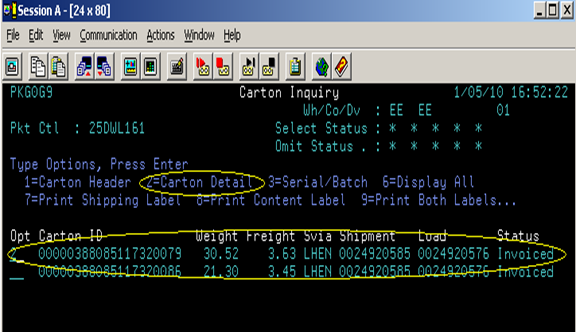
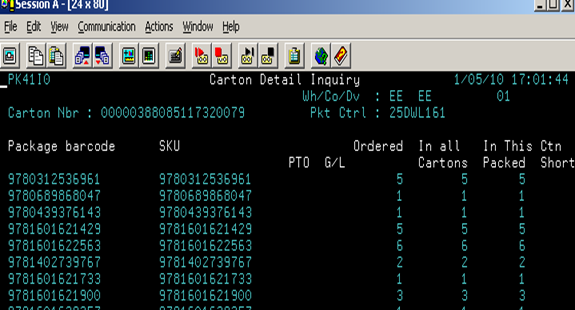
- Enter 2 next to the carton in question—press enter to view carton contents
- The contents are listed by EAN.
Comments
0 comments
Please sign in to leave a comment.