
Occasionally a customer will be able to provide their account and a tracking number but no order entry number. To locate a customer order by tracking number only:
- Sign on to the PKMS system
- Choose warehouse
- Choose option #18 (Carton Inquiry by Tracking Number)
- Enter the tracking number for FedEx, UPS, USF REDDAWAY, R+L, Purolator, USPS, etc
- Remove any spaces (ex: 1Z50V7510351942563) – press enter
- The tracking number entered should be the first line item able to be selected
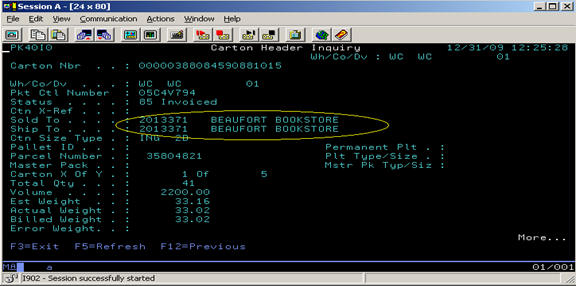
- Enter “1” next to the line and press enter
- The order entry number and account information are displayed.
Comments
0 comments
Please sign in to leave a comment.